Cash flow outlook
A three month projection built from your recurring commitments and your actual history, so a tight month shows up before it arrives.
BreathEasy Ledger
Ledger imports the transactions your bank already gives you, reads the receipts you scan, and puts every line through an approval step you control. On top of that sits Watchdog, a full oversight layer that projects your cash flow, catches creeping bills and duplicate charges, and names the vendors moving your numbers. Breeze, the AI assistant built into your books, answers questions in plain English and shows the exact transactions behind every answer.
The problem
Most small businesses buy a large accounting suite, use about a fifth of it, and still end up cleaning up miscategorized transactions the week before taxes are due. The software auto-posts things nobody looked at, the categories drift, and the reports at the end of the year are only as good as the guesses underneath them.
Ledger takes the other approach. Import is fast, categorization is rule-driven, and approval is a step you actually see. When the year closes, the numbers are ones you already signed off on, month by month.
Watchdog oversight
Watchdog is the part of Ledger that never stops looking. It models your recurring commitments, tracks spend pace against a normal month, ranks your vendors, and pushes the things that need attention to the top of the dashboard instead of burying them in a report you have to go find.
A three month projection built from your recurring commitments and your actual history, so a tight month shows up before it arrives.
Watchdog learns every charge that repeats monthly or yearly and tells you the day one of them quietly goes up.
Same merchant, same amount, a few days apart. Watchdog surfaces the likely double charge instead of letting it settle into the year.
Month over month category swings and a ranked view of where the money actually went, with the vendors driving it named outright.
Breeze AI assistant
Breeze sits in a panel on every page of your workspace and already knows your categories, your vendors, your recurring bills, and your history. Ask what happened to your materials spend, what you can cut, or why last month ran hot, and Breeze answers in plain language and cites the transactions it used. It never touches another business's data, and it never posts anything without you.
Breeze
Why was February higher than January?
February ran about $2,140 higher, and most of it is two things. Materials went up $1,380 across four purchases from Mountain Supply Co., and your insurance renewal posted at $612 instead of the $524 you paid last year. Everything else stayed inside its normal range.
Illustration of the Breeze panel. Sample data shown.
Scan and upload
Snap a photo of a receipt from your phone, drag in a PDF, or upload a whole folder at once. Ledger reads the merchant, date, and total off the document, suggests the category, and attaches it to the matching bank transaction so the support is sitting right there when someone asks for it.
Add-on
Add payroll to your workspace and every run flows into the ledger the same way your bank data does. Wages, employer taxes, and benefit withholdings post to the right accounts, reconcile against the payroll debit that hits your bank, and roll into your monthly and year-end reports without a second entry. Available as an add-on and quoted with the rest of your setup.
How it works
Export transactions from one bank account or a dozen, drop the files in, and Ledger lines them up in a single place.
Photograph a receipt or upload the PDF. Ledger reads the merchant, date, and total off the image and matches it to the transaction it belongs to.
Nothing posts behind your back. Every transaction lands in a review queue where you confirm the category before it counts.
Set rules for the transactions you see every month, so the recurring work stops being work.
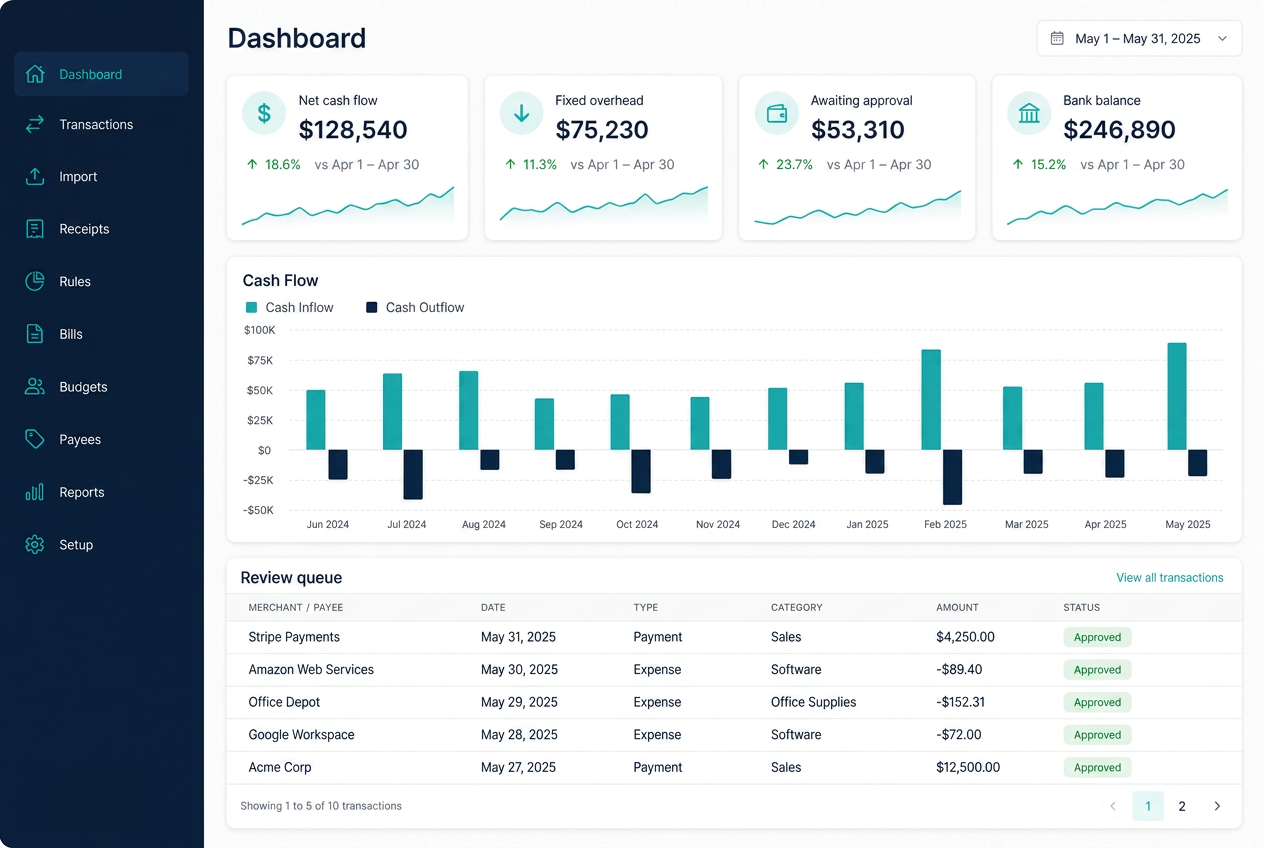
Your dashboard shows net cash flow, fixed overhead, spend pace, top vendors, duplicate charges, and a forward cash flow outlook, and it speaks up the moment something shifts.
Breeze is the assistant inside your books. Ask a question in plain English and get an answer that cites the exact transactions behind it.
Monthly reports for tracking where the money went, yearly reports built for handing off at tax time.
Built for the way small books work
Review queue
4 pending
Mountain Supply Co.
Materials · matched by rule
-$412.80
City Utilities
Utilities · matched by rule
-$188.14
Deposit — Invoice 1042
Revenue · needs a category
+$3,250.00
Fuel — Station 12
Vehicle · matched by rule
-$96.42
Illustration of the review step. Sample data shown.
Pricing depends on how many accounts you run and how much setup you want. Send us the details and we will put a number in front of you.